OSI Model Explained: Layers, Functions, Protocols, and How It Works
The OSI model explained approach uses a seven-layer framework to describe how devices communicate across a computer network. OSI stands for Open Systems Interconnection, and the model divides network communication into separate layers, with each layer handling specific functions.
The International Organization for Standardization (ISO) developed the OSI model to provide a common framework for understanding network communication. Instead of treating communication as one complicated process, the model separates it into manageable layers.
The seven layers are Physical, Data Link, Network, Transport, Session, Presentation, and Application. Each layer works with the layers directly above and below it to support communication between networked systems.
If you want to understand how the OSI model fits into the broader concept of networking frameworks, start with Network Models Explained.
Why Is the OSI Model Important?
Network communication involves several different processes. Data must move through physical connections, use addressing information, travel between networks, and reach the correct application on the destination device.
The OSI model organizes these processes into seven logical layers. As a result, students and network professionals can study individual networking functions without having to understand the entire communication process at once.
The model also provides a common language for troubleshooting. For example, a damaged cable points toward the Physical layer, while an IP addressing problem generally involves the Network layer.
What Are the Seven Layers of the OSI Model?
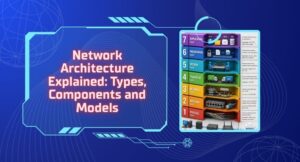
The OSI model contains seven layers, starting with the Physical layer at the bottom and ending with the Application layer at the top.
| Layer | Name | Main Function |
|---|---|---|
| 7 | Application | Provides network services to applications |
| 6 | Presentation | Handles data representation, encryption, and compression |
| 5 | Session | Manages communication sessions |
| 4 | Transport | Provides end-to-end communication |
| 3 | Network | Handles logical addressing and routing |
| 2 | Data Link | Handles frames and local network communication |
| 1 | Physical | Transmits raw bits through the physical medium |
Let’s examine each layer in detail.
Layer 1: Physical Layer
The Physical layer is the lowest layer of the OSI model. It deals with the physical transmission of raw bits between devices.
This layer includes physical components and transmission characteristics such as cables, connectors, radio signals, electrical signals, fiber-optic media, and data transmission rates.
The Physical layer does not understand the meaning of the data. Instead, it focuses on how individual bits travel through the communication medium.
For example, when a computer sends electrical signals through an Ethernet cable, the Physical layer handles the actual transmission of those signals.
Layer 2: Data Link Layer
The Data Link layer manages communication between devices on the same local network. It organizes bits into frames and uses physical addressing to support local delivery.
This layer also handles functions such as error detection and media access control. Ethernet and Wi-Fi technologies include important functions associated with this layer.
Switches commonly operate at Layer 2 because they use MAC addresses to forward frames within a local network.
The Data Link layer therefore helps devices communicate efficiently across the same network segment.
Layer 3: Network Layer
The Network layer handles logical addressing and routing. It determines how packets can travel between different networks to reach their destination.
IP is the most important protocol associated with this layer. Routers use logical addressing information to make forwarding decisions.
For example, when a computer communicates with a server on another network, the Network layer helps determine how the packets should travel toward that destination.
This layer is therefore essential for communication across interconnected networks.
Layer 4: Transport Layer
The Transport layer provides end-to-end communication between applications running on different devices.
It can handle functions such as segmentation, flow control, reliability, and error recovery. The exact features depend on the transport protocol.
TCP provides reliable, connection-oriented communication. UDP provides a simpler connectionless approach with less overhead.
The Transport layer also uses port numbers to help deliver data to the appropriate application or service on a device.
Layer 5: Session Layer
The Session layer manages communication sessions between applications.
It can establish, maintain, synchronize, and terminate sessions between systems. This helps applications manage ongoing communication.
For example, a session may need to remain active while two systems exchange information. The Session layer provides a conceptual framework for managing that interaction.
Modern networking protocols do not always implement the Session layer as a completely separate component. Many session-related functions can appear within higher-level protocols and applications.
Layer 6: Presentation Layer
The Presentation layer focuses on how systems represent and interpret data.
It can handle functions such as data formatting, translation, compression, and encryption. These functions help ensure that the receiving system can correctly process the information.
For example, two systems may use different internal ways to represent information. A presentation function can help convert data into a suitable format for communication.
Encryption and compression are also commonly associated with this layer in the OSI framework.
Layer 7: Application Layer
The Application layer is the highest layer of the OSI model. It provides network-related services that applications can use.
Protocols such as HTTP, DNS, SMTP, and FTP are commonly associated with this layer. These protocols allow applications to communicate and access network services.
The Application layer does not mean the user application itself. Instead, it represents the network services and protocols that applications use for communication.
For example, a web browser uses HTTP or HTTPS to communicate with web servers.
How Does the OSI Model Work?
When a device sends data, the information moves from the Application layer downward through the OSI layers. Each layer performs its specific function and may add control information before passing the data to the next layer.
At the Physical layer, the resulting information travels across the physical network medium. The destination device then processes the information upward through its own layers until the receiving application obtains the original data.
This process allows each layer to focus on its own responsibilities. The Application layer does not need to manage physical signals, while the Physical layer does not need to understand application data.
To understand this communication process from a broader perspective, see How Computer Networks Work.
What Is Encapsulation in the OSI Model?
Encapsulation occurs when each networking layer adds information to data as it moves down through the OSI model.
For example, an application creates data at the Application layer. The Transport layer can divide that data into segments and add transport information. The Network layer adds addressing information, while the Data Link layer creates frames for local delivery.
Finally, the Physical layer converts the information into signals or other physical representations for transmission.
At the destination, the receiving device performs the opposite process. Each layer processes and removes the information relevant to it as the data moves upward. This process is called decapsulation.
OSI Model Protocols and Devices
Different protocols and networking devices commonly associate with different OSI layers.
| OSI Layer | Common Examples |
|---|---|
| Application | HTTP, HTTPS, DNS, SMTP, FTP |
| Presentation | Data formatting, encryption, compression |
| Session | Session management functions |
| Transport | TCP, UDP |
| Network | IP, ICMP, routers |
| Data Link | Ethernet, Wi-Fi, switches, MAC addresses |
| Physical | Cables, fiber, radio signals, hubs |
These associations help explain where different technologies fit within the communication process. However, real-world protocols and devices can perform functions across multiple layers, so the table should serve as a conceptual guide rather than an absolute classification.
OSI Model vs TCP/IP Model
The OSI model and TCP/IP model both use layers to explain networking, but they organize those functions differently.
The OSI model has seven layers: Physical, Data Link, Network, Transport, Session, Presentation, and Application. The traditional TCP/IP model commonly uses four layers: Network Access, Internet, Transport, and Application.
The OSI model separates the Session and Presentation functions into their own layers. In contrast, TCP/IP generally combines those functions with the Application layer.
The two models also differ at the lower levels. OSI separates the Physical and Data Link layers, while the traditional TCP/IP model combines their functions under the Network Access layer.
The OSI model remains particularly useful for learning and troubleshooting, while TCP/IP closely reflects the protocol architecture used by the Internet and modern networks.
How Is the OSI Model Used for Troubleshooting?
Network professionals can use the OSI model as a structured troubleshooting framework. Instead of checking every component randomly, they can examine possible problems layer by layer.
For example, a device with no physical connection may have a Layer 1 problem. A MAC address or local frame-delivery issue may involve Layer 2. An incorrect IP address or routing problem may point toward Layer 3.
Similarly, connection problems involving TCP or UDP can involve Layer 4, while application-specific communication problems may occur at the upper layers.
This approach helps narrow down the possible source of a problem and makes troubleshooting more systematic.
Advantages of the OSI Model
The OSI model provides a structured way to understand networking. Its layered approach makes complicated communication processes easier to study and explain.
It also supports troubleshooting because administrators can associate different types of problems with specific layers. This can reduce the number of possible causes that need investigation.
Another advantage is that the model provides standardized terminology. Network professionals can discuss a problem in terms of layers and functions, making technical communication easier.
Limitations of the OSI Model
The OSI model is mainly a conceptual framework rather than an exact description of every modern network implementation.
Some real-world protocols perform functions that cross multiple OSI layers. Modern technologies also do not always maintain strict boundaries between the seven layers.
The model can also appear more complicated than necessary for beginners because some of its layers have overlapping or closely related responsibilities.
Therefore, the OSI model works best as a framework for understanding, designing, and troubleshooting network communication rather than as a strict blueprint for every network.
Why Should You Learn the OSI Model?
Learning the OSI model provides a strong foundation for understanding networking concepts. It helps explain where different protocols, devices, and communication functions fit within a network.
The model is also useful when studying networking certifications and troubleshooting real-world connectivity problems. Once you understand the responsibilities of each layer, many networking concepts become easier to organize and remember.
However, you should also learn the TCP/IP model because modern networks and the Internet rely heavily on the TCP/IP protocol suite.
FAQ’s
What is the OSI model?
The OSI model is a seven-layer conceptual framework that explains how network communication takes place between devices.
How many layers are in the OSI model?
The OSI model has seven layers: Physical, Data Link, Network, Transport, Session, Presentation, and Application.
Which is the lowest layer of the OSI model?
The Physical layer is the lowest layer. It handles the transmission of raw bits through physical or wireless communication media.
Which is the highest layer of the OSI model?
The Application layer is the highest layer. It provides network services and protocols that applications use to communicate.
What is encapsulation in the OSI model?
Encapsulation is the process of adding control information to data as it moves down through the OSI layers before transmission.
What is decapsulation?
Decapsulation is the reverse process. The receiving device processes the information added by the lower layers as data moves upward toward the application.
Is the OSI model used in real networks?
The OSI model is widely used as a conceptual framework for learning, troubleshooting, documentation, and technical communication. However, real-world networking protocols do not always follow its seven layers exactly.
What is the difference between the OSI and TCP/IP models?
The OSI model has seven layers, while the traditional TCP/IP model has four. OSI provides a detailed reference framework, whereas TCP/IP closely relates to the protocol suite used by modern Internet networks.








Post Comment