






Say Goodbye to Tedious Removal: Deleting Photo Background Free
We’ve all been there—photos taken with care, only to be ruined by a messy background or dull, washed-out colors. Maybe it’s a product image for an e-commerce listing, an ID photo for a resume, or a creative shot you want to share on social media.
Removing a photo’s background may sound simple, but for many people, it quickly becomes a barrier to creating polished visuals. Professional software can be expensive and complicated, and learning how to use it takes time.
That’s why many everyday users are asking the same question: Is there an easy way to remove photo backgrounds—without professional skills, costly tools, or paying for something they only need once in a while?
Free and Easy to Delete Photo Background: UltraPic
The market has never lacked choices, but there are few real solutions. Many online tools hide many restrictions behind the word “free”, such as exporting with watermarks, waiting in line, and limited resolution… However, UltraPic does not have these limitations.
It is not a complex editing software, but a user-friendly photo background remover.
It condenses professional skills that would have taken hours to learn into an intuitive button. “Simple and effective” to remove photo backgrounds.
You don’t have to tell it where the hair is, where the glass is, or where the complex edges are.
Upload the image, and the algorithm will begin to silently interpret each pixel in the image, distinguishing the subject from the background – the tediousness of manually outlining it bit by bit in the past is now quietly completed in a few seconds.
When you need a free software to remove the background of the picture by chance, UltraPic is definitely the best choice.
- Completely free for background removal.
- Click to delete photo background.
- Directly export a picture e with transparent background.
You don’t have to endure ugly watermarks when exporting.
Free but Powerful: Removing Your Photo Background in Seconds
Using UltraPic’s AI Background Remover requires almost no learning.
- Open your browser, visit the website, click BG Remover and drag your image into the designated area. It could be a pet wearing a fluffy hat, a portrait with flying hair, or a detailed handicraft.
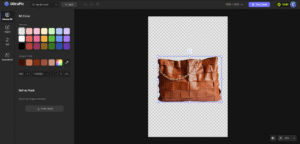
UltraPic Background Remover - AI immediately starts processing your photo, automatically removing the background you don’t want.
✍Tips: Keep your network stable throughout the process, and the image will be processed in a few blinks of an eye.
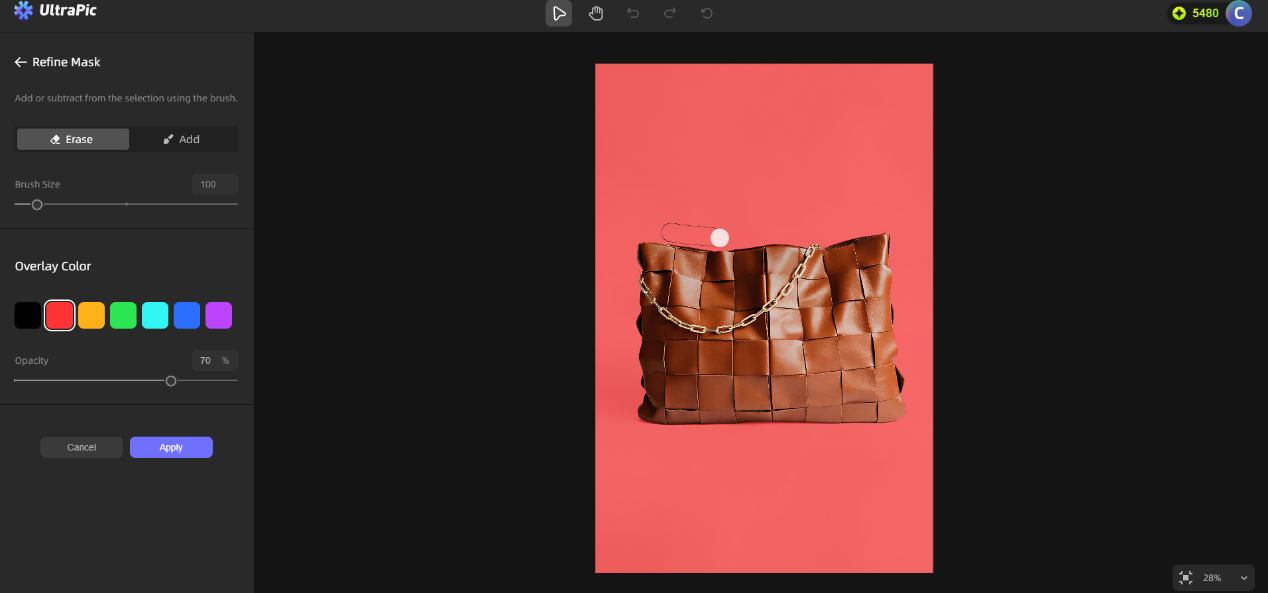
- If you are a perfectionist, you can also fine-tune the image. Use the Keep Brush to gently paint over the parts you want to keep, and use the Eraser to remove any extra details.
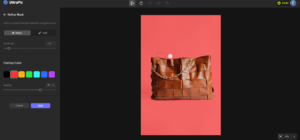
fine-tune the image
The accuracy of the AI greatly reduces the manual adjustment process, and most photos can reach the commercial level.
- After you are satisfied, select the format and click Download Standard Image.
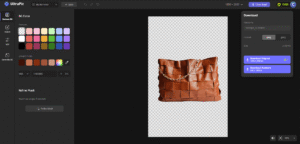
Download Standard Image.
The whole process does not cost a penny, and a professional-grade picture with a transparent background appears on your device.
What used to require asking for help and spending time on details can now be done easily by removing the background from the image yourself.
🛒Small businesses use it to process product images, allowing simple products to shine against a clean background.
📝Content creators use it to create eye-catching covers to stand out in the news feed;
These scenes are ordinary but real. What UltraPic does is no longer distinguish between professional and amateur users, allowing everyone to create professional pictures, and no longer be bothered by the messy background.
Conclusion
For the vast majority of users who occasionally need to process pictures – maybe a product picture, a resume photo or a social media sharing – the completely free and unrestricted background removal function provided by UltraPic is your best choice.
It accurately solves the most core and frequent difficulty: removing the background cleanly and neatly, and it is 100% free.
You don’t have to worry about the number of restrictions or annoying watermarks. Although it is zero threshold, it provides you with professional results.
Of course, the needs of photo editing are always different. If you need to process a large number of product images every day and pursue efficient batch removal functions; or if you are not satisfied with the transparent background and want to use richer professional templates and intelligently generate creative scenes, you can also upgrade after a free trial. The value of the tool lies in allowing everyone to create freely on their own track.
Also Read:- iPhone 17 Pro 2025 — Power, Precision, and Pure Innovation
Share this content:









Post Comment