







Explainer Video Maker Tools: What They Can Create Today
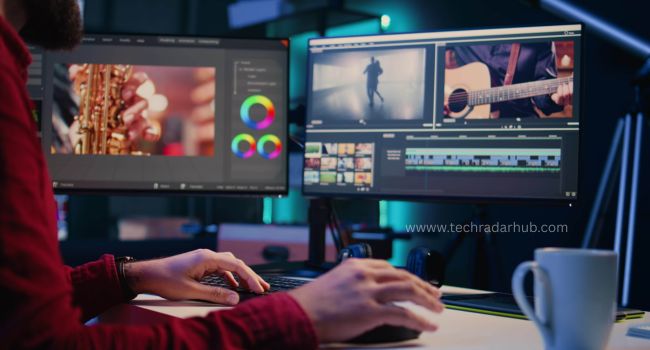
Explainer videos have become a go-to format for brands, educators, and businesses looking to communicate messages quickly and clearly. Whether you’re launching a new product, guiding users through a process, or simply telling a story, a well-crafted explainer video makes complex ideas engaging, easy to understand, and visually compelling.
Today, thanks to advances in online tools and AI, anyone — even without video‑making experience — can produce polished explainer videos. From animated whiteboard videos to live‑action-style clips with voiceovers and stock footage, these tools make the process simple, fast, and affordable. Let’s dive into what modern explainer video maker tools can do, and check out a set of popular tools (with invideo at the forefront) that are widely used today.
Why Explainer Videos Work So Well
Explainer videos break down complex ideas into visual stories. Instead of presenting long paragraphs or dense instructions, you show rather than tell. That helps audiences digest information faster, absorb the core message, and remember it longer.
Whether you’re looking to create explainer videos for marketing, education, or product demonstrations, they are an incredibly effective and easier to create with invideo. Because humans process visuals faster than text, a short video with clear visuals, good pacing, and a strong voiceover can communicate more effectively than a long article or manual. That’s why explainer videos are used across many contexts — from product demos and onboarding tutorials to educational content and marketing campaigns.
What Modern Explainer Video Maker Tools Can Do
Here’s a breakdown of the kind of work a good AI explainer video maker can handle today:
- Turn text/scripts into full videos: You can paste a script or outline and convert it into a complete video with visuals, animation, voice-over, music, and subtitles.
- Support various styles: Animated whiteboard videos, motion graphics, kinetic typography, live‑action‑style clips, mixed‑media videos — you choose what fits your message.
- Auto‑voiceovers and subtitles: Many tools let you add narration (AI-generated or recorded) and subtitles automatically — great for accessibility and reaching wider audiences.
- Drag-and-drop editing & easy customization: No professional editing skills needed. You can tweak text, timing, scenes, transitions, and media visually.
- Fast production: What used to take days or weeks can now be done in hours — or even minutes. Some platforms let you have a share-worthy explainer ready in one editing session.
- Multi-format export: Whether you’re publishing on YouTube, a website, social media, or sending to clients, you can export in different resolutions and formats.
- Scalable for teams/brands: For agencies, educators, or businesses, many tools allow collaboration, multiple users, version control, and reuse of templates.
Because of these capabilities, explainer video makers have shifted from niche use to mainstream — now useful for marketing, training, product launches, onboarding, education, and more.
Popular Explainer Video Maker Tools to Try (With Strengths & Use Cases)
Here’s a list of well-known tools that let you build explainer videos today — from beginner-friendly to more advanced workflows:
How to Choose the Right Tool for Your Needs
Choosing the right explainer video maker depends on several factors. Here are key questions to guide your decision:
- What kind of video do you need?
If you want a whiteboard-style animation for teaching or explaining concepts, a tool like VideoScribe works well. If you need a polished video with real visuals or AI avatars — invideo or Renderforest may suit you better. - What’s your skill level?
For someone new to video creation, tools with simple drag‑and‑drop interfaces and pre-made templates (like Powtoon, invideo, or VEED) are ideal. More advanced users might appreciate flexible customization and editing. - Speed vs. control
If you want to launch quickly, tools with templates, AI voiceovers, and stock media help you go fast. If you need deep customization (timing, graphics, branding), pick a tool that offers finer control. - Budget and output needs
For occasional videos, a freemium or lower-cost tool might do. For frequent output, team use, or brand‑level consistency — choose tools that support collaboration, reuse of assets, and export options. - Purpose of video — marketing, education, product demo, etc.
A product demo might need clean visuals and voiceover; an educational video might need whiteboard-style animation; a marketing teaser might do well with dynamic motion graphics. Match tool + style to your goal.
How invideo Stands Out (and Why It’s Great for Explainers)
Among many AI video generators, invideo stands out because it balances power with ease. With invideo you can:
- Start from a template or choose an AI‑actor / avatar to “host” your video.
- Add voiceovers, subtitles, and even clone voices or avatars for brand consistency.
- Use AI to generate scripts and structure your video automatically — a huge advantage if you’re short on time.
- Export in multiple formats (social media, web, YouTube) and adapt to different aspect ratios.
Because of its versatility, invideo works well for businesses, creators, educators, and marketers who want a reliable, all‑in‑one explainer video maker — without needing deep video editing skills or a large budget.
Tips to Produce Great Explainer Videos Quickly
Here are a few practical tips to get the most from your explainer video maker:
- Start with a clear script or message — clarity on what you want to explain makes the video crisp.
- Use simple visuals and avoid clutter — too much animation or too many effects can distract from your core message.
- Keep the length short and focused — shorter videos tend to hold attention better, especially for explainers.
- Use voiceovers + subtitles — it helps accessibility, and ensures your message reaches viewers whether they listen or watch silently.
- Leverage templates and stock media — this saves time and produces professional output even without shooting footage.
- Test the video on target devices/platforms — ensure readability of text, clarity of visuals, audio quality.
- Iterate and refine — many tools let you adjust timing, swap scenes, tweak text/voice until the flow feels right.
Also Read : The Countdown Begins: Everything You Need to Know About the Xiaomi HyperOS 3 Poco Rollout
When & Why You Should Use Explainer Videos
Explainer videos shine in many contexts:
- Launching a new product or feature — to quickly show benefits
- Onboarding users or customers — in tutorials, how‑tos, user guides
- Marketing campaigns — social media, ads, landing pages
- Internal training — employee onboarding, process documentation
- Educational content — online courses, lectures, workshops
Because explainer videos combine visuals, audio, and storytelling, they often outperform plain text or static content — in engagement, retention, and conversion.
Final Thoughts
Today’s explainer video maker tools make high-quality video creation accessible to everyone — from solo entrepreneurs to big businesses. Whether you choose a simple animated tool or a full-featured platform like invideo, you can create clear, polished, and engaging videos in a fraction of the time it once took.
If you need a quick, effective way to explain a product, teach a concept, or launch a campaign, explainer videos offer a powerful medium. With the right tool, a good script, and a clean design, you can turn ideas into engaging visuals that connect with audiences.
Share this content:









Post Comment